Jobs that add up.
See labour, purchases and expenses in the context of the job. Understand your costs before the next decision.
- Projects & cost analysis
- Purchase orders & stock
- Quotes & invoices
Try the real app with your own private fictional company. Take the quick guided tour, then explore freely. No login needed.
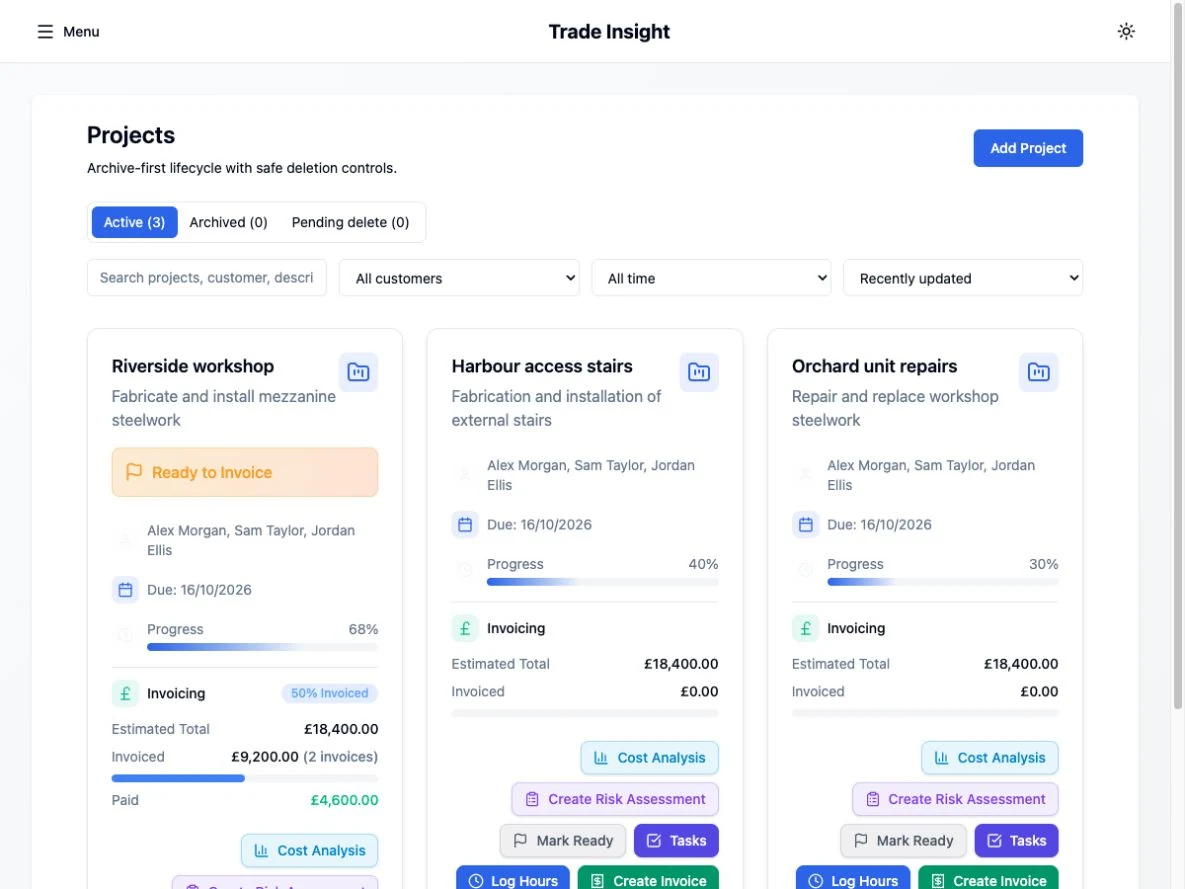
The actual Projects screen: project cards, progress, invoicing and the actions that connect the work.
View larger desktop screenshot ↗Screenshots of the web app, including its mobile browser layout. Select a screen above; controls inside the images are not interactive. No customer records or live submissions.Follow the work through your business. Choose a step to see how the pieces fit.
Keep the project, client and estimated costs together, so the work has a clear starting point.
From the first hours on site to the paperwork after payday, keep the work in view.
See labour, purchases and expenses in the context of the job. Understand your costs before the next decision.
Keep the working week connected, from employee timesheets to preparing payroll and employee documents.
Bring invoices, receipts and VAT preparation into the same workspace. See what is outstanding and what needs attention.
Keep risk assessments and method statements close to the projects and people they belong to.
Use the web app for the complete workspace. iOS and Android are companion apps; feature availability differs. Live VAT filing uses a supported web browser. HMRC services require company setup and the appropriate permissions.
Bring the next action into focus, without opening a stack of spreadsheets.