What does an employee actually cost your business?
Separate gross pay, employer costs, productive hours and charge-out rates with a simple worked labour-cost example.
Start with the question you are trying to answer
“What does this person cost?” can mean the cost of payroll, the cost of an hour available for productive work, or the selling rate needed to recover overheads and profit. Those are different calculations.
For job costing, start with a clearly defined employment-cost figure and a realistic number of productive hours. Keep the assumptions visible so someone reviewing a quotation can understand where the hourly figure came from.
Build up the annual cost
Gross pay is the starting point. Employer National Insurance, employer pension contributions and other employer-funded costs may also need to be included. Use figures appropriate to the employee and the period; this guide does not calculate statutory liabilities.
Avoid counting an item twice. If annual salary already covers paid holiday, do not add that same holiday pay again. Instead, reflect time that is unavailable for productive work in the hours denominator. Decide consistently where you allocate tools, vehicles, supervision and premises costs.
A fictional worked example
Suppose annual gross pay is £30,000 and the employer estimates £5,000 of additional employment costs. Total assumed annual cost is £35,000. If the business expects 1,600 productive hours, the estimated employment cost per productive hour is £21.88.
Allocating 40 productive hours to a job would therefore assign about £875 of employment cost, using the unrounded hourly figure. These numbers are illustrative assumptions, not UK tax rates or a recommended selling rate.
Do not confuse cost, recovery and profit
If the quotation charges £35 per hour, the difference between £35 and the estimated employment cost does not automatically become profit. The business still needs to recover whichever overheads have not already been included.
Use separate labels for gross pay rate, loaded employment cost and charge-out rate. When a job report uses a labour recovery rate, read it on that basis rather than treating the result as accounting profit.
Compare the estimate with actual work
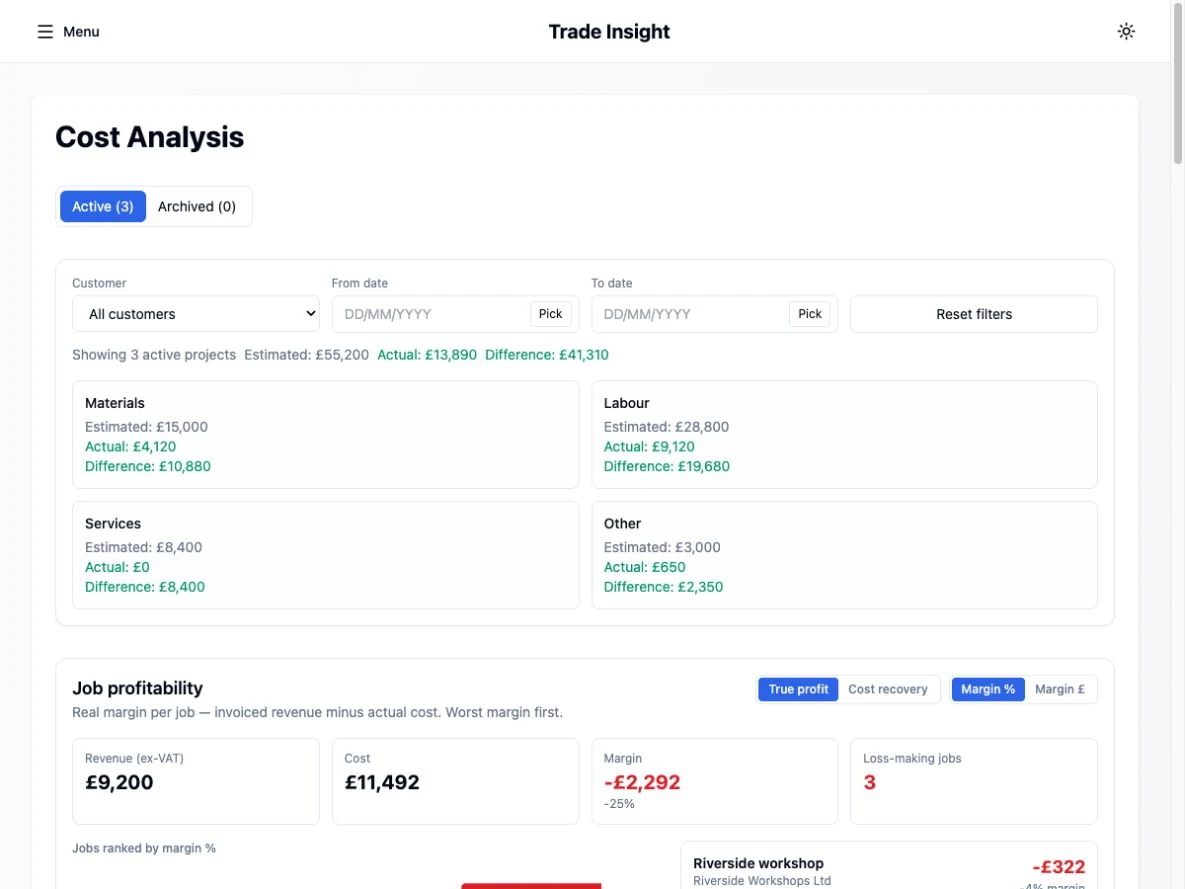
Check whether the recorded hours and costs are landing where you expected. A job taking 60 hours rather than 40 can change the result even if the hourly rate is correct. Missing purchases can make a job look better than it is.
The calculator on this website lets you test annual-cost and productive-hours assumptions locally in your browser. Trade Insight’s cost-analysis demo shows how recorded labour, purchases and expenses can be viewed against a project.
Keep exploring
- From weekly timesheets to payroll: a trade employer’s workflow
- Switching payroll software mid-year: records and checks to prepare
- Choosing payroll software for a small UK trade business
Labour-cost calculator → · Payroll software for trade employers →