From weekly timesheets to payroll: a trade employer’s workflow
A practical process for collecting hours, resolving queries, reviewing payroll and retaining a clear record of each pay period.
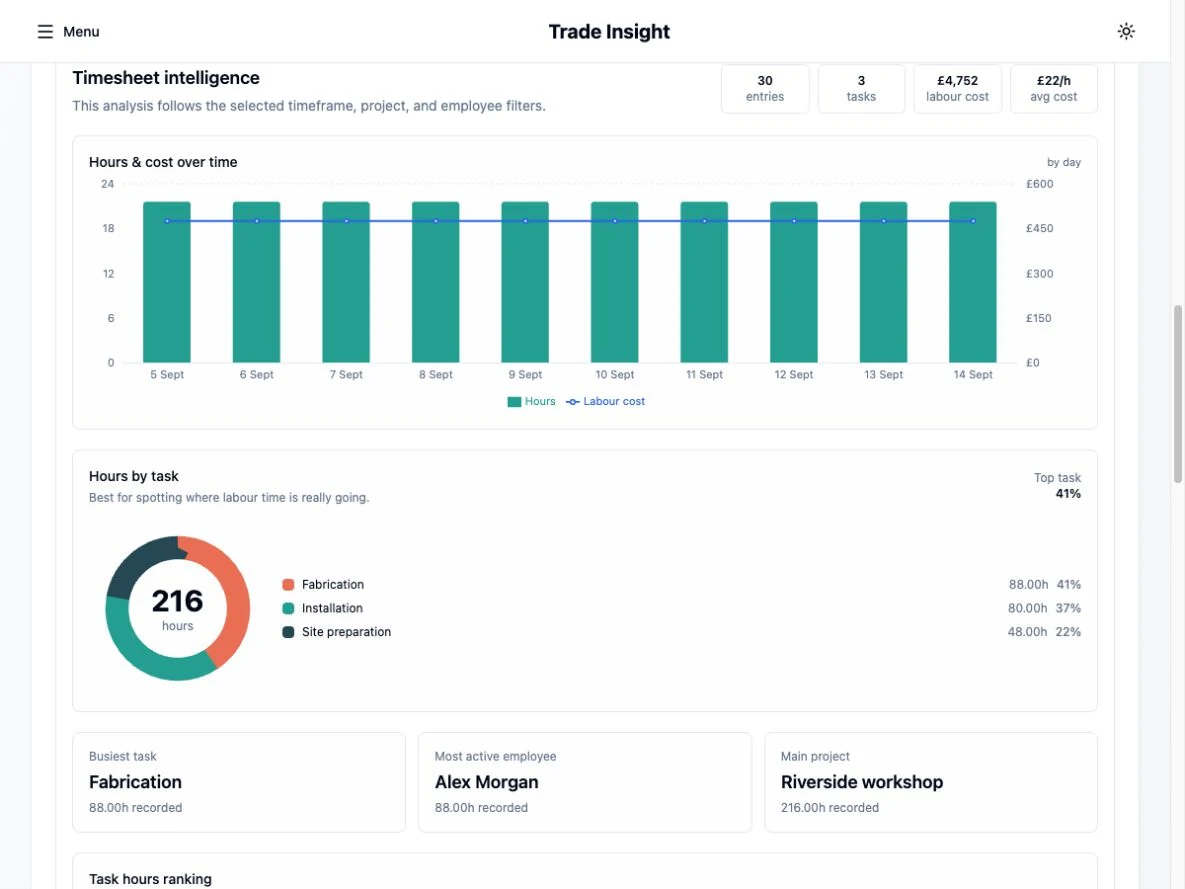
Close the working week before calculating pay
A useful timesheet records who worked, when they worked and which job the time belongs to. Payroll also needs the agreed pay treatment. Hours allocated to a project do not, on their own, tell you whether those hours are ordinary time, overtime, paid absence or another category.
Choose a regular cut-off that leaves time to resolve missing entries before payday. Tell employees who checks their hours and how to raise a correction. Keep the original record and the reason for a change rather than silently replacing a figure.
Review exceptions first
A quick totals check can hide the entries that need attention. Review unusual days and differences from the normal working pattern before approving the period. A missing timesheet needs an enquiry; it should not automatically become zero pay.
- Missing days, overlapping entries or unexpectedly long shifts.
- Overtime, travel time and allowances needing an agreed treatment.
- Holiday and sickness records that affect pay.
- Starters, leavers, rate changes and other employee updates.
Keep job allocation and employee pay distinct
Consider a fictional employee recording 32 hours in the workshop and 8 hours installing on site. The project record should preserve those allocations. The payroll record should calculate the employee’s pay using their employment terms and the relevant payroll settings.
The rate used to recover labour on a quotation may include overheads and margin. It is not necessarily the employee’s gross hourly pay, and it is not a statutory payroll calculation. Keeping these concepts separate makes job reports easier to interpret.
Review the payroll, then control the submission
Compare the draft with the approved hours and expected gross pay. Investigate differences in deductions and net pay before finalising. Record who authorised the run and retain the relevant payslips and submission results.
HMRC’s standard instruction is to send the Full Payment Submission on or before payday; exceptions have their own rules. Follow the current HMRC guidance and the software instructions for your circumstances. If comparing two systems, agree which one submits each return.
See the workflow in Trade Insight
Trade Insight brings employee timesheets, project records and payroll preparation into the same web workspace. The public demo uses fictional data, so you can explore without entering employee information.
Start by looking at the timesheets and payroll screens. Check whether the available workflows suit your pay frequencies, employee circumstances and review process before making a change. Company setup and the appropriate HMRC permissions remain necessary.
Sources and further reading
Official guidance checked for this publication. Check the linked guidance for subsequent changes and the rules that apply to your circumstances.
Keep exploring
- Switching payroll software mid-year: records and checks to prepare
- What does an employee actually cost your business?
- Choosing payroll software for a small UK trade business
Labour-cost calculator → · Payroll software for trade employers →